Blogs

  • Start small: How to make websites with integrated systems accessible

    Even if your content is accessible, people can still run into problems on your site. That’s because many websites include functionality that relies on integrated systems. Without you realizing it, these systems may contain issues. If you want to make your site accessible, those systems must also be adapted. And that’s not easy. One industry that frequently faces this challenge is libraries. Gonnie Nikamp helps libraries with this. She is a digital accessibility consultant at Rijnbrink, an organization that supports libraries in Overijssel and Gelderland. Gonnie explains how libraries are working to improve the accessibility of their complex websites.

  • How Mett ensures digital accessibility as a supplier

    Digital accessibility is mandatory for government agencies and many businesses. This makes it a must for suppliers. Mett is a prime example. This company provides project websites, participation platforms, and knowledge communities for the public sector. They have been committed to accessibility for over 10 years. Product owner Jasper Ludolph and developer Wietse Veenstra share how they got started, what challenges they’ve faced in practice, and what tips they have for other organizations.

  • From awareness to action: digital accessibility at Utrecht University

    Utrecht University (UU) considers inclusion to be important. This means you also need to be digitally accessible across all your channels, says Wouter Dielesen, senior communications advisor at UU. The university has already achieved impressive results in this area. Wouter discusses their approach, the challenges they’ve faced, and where they currently stand in terms of accessibility.

  • Why the Kadaster is the “University of Digital Accessibility”

    The Kadaster (The Netherlands’ Cadastre, Land Registry and Mapping Agency) is an organisation with more than 100 public front-end systems. As a result, it faces every possible challenge in the field of accessibility. It is no coincidence that Kees Ligtelijn, online channels coordinator, refers to the Kadaster as ‘the University of Accessibility’. That is why we are looking at how they address the issue of accessibility. Together with Debby Kilic, independent digital accessibility consultant, Kees talks about their approach.

  • What the partnership with Deque means for your accessibility audit

    Swink has become a partner of Deque for the Benelux region. By combining our knowledge and experience with that of Deque, we can offer even better services. But what does that mean? One of the changes is that we will now be conducting our accessibility audits using Deque's tool: axe Auditor. Michiel shares his initial experiences, demonstrates what this tool has to offer and explains what this means for our customers.

  • This is how we make our training accessible and autism-friendly

    We train our digital accessibility specialists ourselves. This allows us to guarantee high quality and ensures that new colleagues quickly become familiar with our company. We mainly hire people with autism, which is why it is important that the training itself is also accessible. Specially for Accessibility Week, with its theme of ‘accessible education’, consultant Renate talks about this.

  • Swink and Deque establish partnership for the Benelux

    We have extraordinarily exciting news: Swink and Deque have established a partnership for the Benelux! This makes us one of Deque's first European partners. Are you wondering: what is Deque and why is this important? We are happy to explain.

  • Sunweb Group's journey towards accessibility

    Sunweb Group's mission is to offer “holidays for the many.” This means that vacations must be accessible to everyone. Digital accessibility is part of this. Sunweb Group not only wants to comply with legislation (European Accessibility Act - EAA), but also wants to be a leader in this regard within their industry. Monique van Agthoven, Head of Sustainability at Sunweb Group, talks about their approach and ambitions for digital accessibility.

  • What my running experience taught me about digital accessibility

    More and more organizations need to do “something” about accessibility. At first, this can be as intimidating as Mount Everest is for a mountaineer. Because there is a lot involved. For example, how do you get the organization on board? Accessibility is therefore a long-term process. It's like a marathon. As a marathon runner and digital accessibility researcher, I happen to have experience with both. Put on your running shoes, and I'll take you through the marathon process of accessibility.

  • How to write good alt text for images

    Blind or visually impaired people cannot see images on your site or in your document. Therefore, it is important that you provide images with alternative text. But how do you write such text? Find out here.

  • Digital accessibility trustmarks and certificates? Here's the situation

    As an organization, you have worked on digital accessibility and you want to show it! But how do you do that? Are there quality marks or certifications? And if so, what status do they have? In this blog we will discuss the meaning of trustmarks and certifications for digital accessibility.

  • Accessibility at ANWB: this is how to get it on the agenda

    Due to the European Accessibility Act, accessibility is increasingly on the agenda in the business market as well. But how does a large commercial organization go about this? ANWB has already taken the first steps. Erwin Schaapman, product owner design system digital channels at ANWB, tells about it.

  • Solutions Factory hard at work with accessible recruitment software

    The Alkmaar-based software company Solutions Factory helps organizations in the public sector find and connect with the right employees. One of the ways the company does this is by developing working-at-sites for clients. Solutions Factory is working hard to make their products digitally accessible. Klaas de Boer, Manager Delivery & Support at Solutions Factory, has a leading role in this. “Our ambition is to deliver a fully digitally accessible working-at-site system.”

    • published
  • Say Aaa: The difference between WCAG A, WCAG AA and WCAG AAA

    To determine if your website is accessible, we test it against the Web Content Accessibility Guidelines (WCAG) guidelines. This is the international standard for digital accessibility. There are different versions and levels. We show the differences between WCAG A, WCAG AA and WCAG AAA and which one you should have for an accessible website.

  • Bram on an accessible workplace when you're blind: “Don't assume things can't be done, just start.”

    Since the end of 2023, Bram Duvigneau has joined the Swink team. Or actually we got two more colleagues, because service dog Mellow joins him cozily to the Swink office in Amsterdam Sloterdijk. In addition to being a highly experienced digital accessibility specialist, Bram is also blind. He doesn't let that stop him. On the contrary. For example, he travels by public transport and regularly works at clients' offices, where Mellow is a familiar face.

    • published
  • This is what the European Accessibility Act (EAA) means for your business

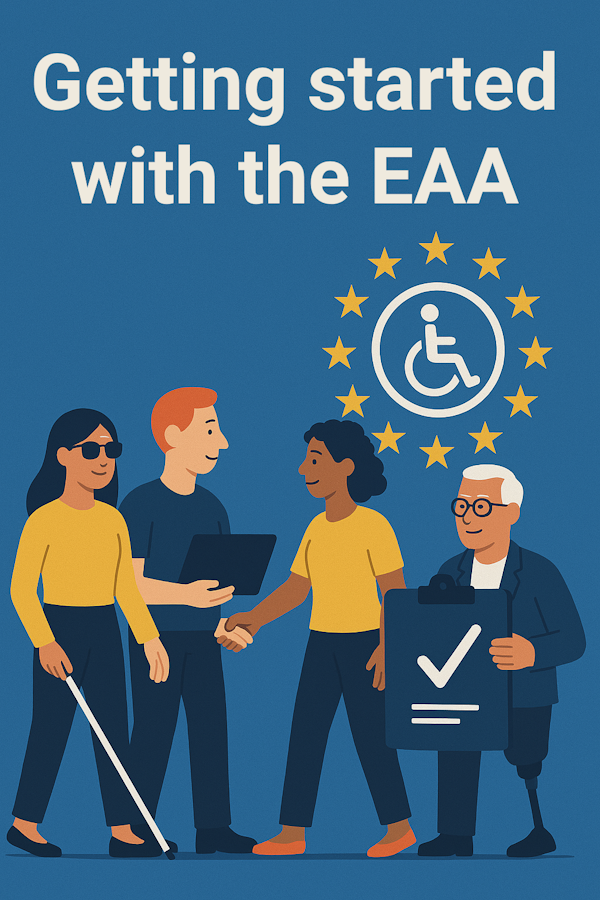
    Digital accessibility was already mandatory for Dutch public authorities. From 2025, the European Accessibility Act (EAA) ensures that businesses and organizations must also become accessible. An important development, because in Europe there are tens of millions of people with disabilities. What the EAA is and what it means for your organization, we will show you in this blog.

  • Why a digitally accessible organization starts with PDFs

    Digital accessibility affects the entire organization and is therefore primarily an organizational issue. But how do you approach something this big? Tackling the flow of inaccessible PDFs is a good starting point. Corinne van den Heuvel is associated with Swink as a consultant on digital accessibility. She tells how she implements such projects at large government organizations.

  • What PDF/UA and WCAG mean for accessible PDFs

    When it comes to accessible PDFs, you might also hear the term PDF/UA dropped alongside the WCAG standard. Which standard should you adhere to if you want to make your PDF accessible? In this article, we explain how WCAG and PDF/UA relate and when you can call your PDF accessible.

  • What WCAG means for digital accessibility

    When dealing with digital accessibility, you automatically come across the term WCAG. WCAG stands for Web Content Accessibility Guidelines. They are the international guidelines for digital accessibility. But what does WCAG really mean and why is it important?

  • How they do that: Digital accessibility at the province of North Brabant

    How do they do it? An understandable question, especially with something as important as digital accessibility. That's why we like to give you a peek behind the scenes of other organizations. This time: an interview with Ed Giezenberg, digital accessibility project leader at the province of North Brabant.

    • published