Start small: How to make websites with integrated systems accessible
Even if your content is accessible, people can still run into problems on your site. That’s because many websites include functionality that relies on integrated systems. Without you realizing it, these systems may contain issues. If you want to make your site accessible, those systems must also be adapted. And that’s not easy. One industry that frequently faces this challenge is libraries. Gonnie Nikamp helps libraries with this. She is a digital accessibility consultant at Rijnbrink, an organization that supports libraries in Overijssel and Gelderland. Gonnie explains how libraries are working to improve the accessibility of their complex websites.
A content management system (CMS) is usually not sufficient to properly serve visitors throughout their customer journey. Library websites therefore use separate systems for, for example, the calendar, the catalog, and the educational store. In practice, library sites consist of three or more systems. “If those systems are part of the customer journey, they must be included in the audits. Only then can libraries receive an accessibility statement. That makes it complex, but not impossible,” says Gonnie.
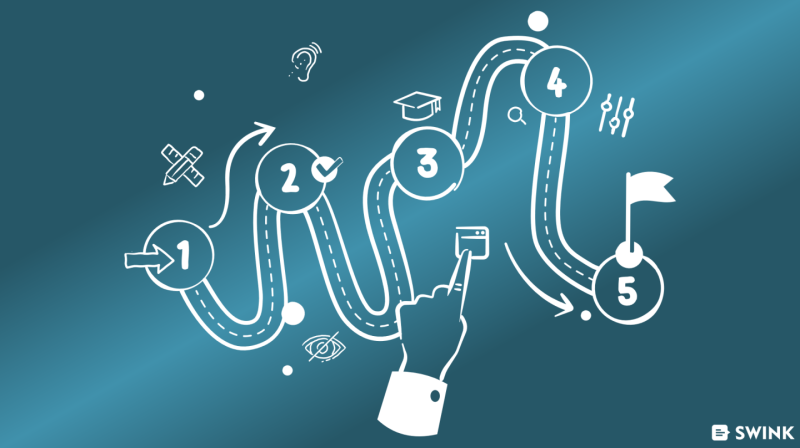
Six-step accessibility process
How do you improve the accessibility of a library website? Gonnie uses a six-step process for this:
- Intake: “First, we work together to determine how we can take as much of the burden off the library as possible. As part of this, I identify the systems with which the website communicates.”
- Accessibility audit: “Swink conducts the audit in accordance with the WCAG 2.2 guidelines.”
- Improvement plan: “Based on the audit, I create an improvement plan in Excel. For each finding, I assign a priority and specify who can resolve the issue. This could be a vendor, but it could also be the web editorial team. In practice, an audit yields between 100 and 120 findings. Of these, 20 to 30 are assigned to the editorial team. I’ve noticed that this provides peace of mind for libraries.”
- Accessibility statement: “The audit report serves as evidence for the accessibility statement, which is mandatory for public organizations. I submit the application on behalf of the library.”
- Discussing audit results: “We meet with the auditor who conducted the audit. They explain what each finding means, how it affects visitors, and how to resolve it.”
- Implementing improvements: “The library is expected to implement all the changes. The improvement plan makes that much easier. I always say: keep it simple. Start with everything you add to the website. Make it digitally accessible right away. Improve existing articles while you’re at it. It doesn’t have to be complicated.”
Vendor systems and accessibility

At present, many systems have not yet been tested for accessibility. That’s why they must be included in all audits. “Together with Sharmila from Swink, I’ve been in discussions with Logius and the national digital accessibility team for libraries to determine how we’ll handle vendors who haven’t yet had their systems audited and are therefore not complying with the requirement.”
This has led to a standard approach for libraries. “We’ve agreed that, for the time being, we’ll conduct a full audit of all websites. That means we’ll include a few pages from each section, so you have a complete picture of digital accessibility. I’m convinced that suppliers will have their systems audited within the next year. And that this will result in a statement we can use. Then, in two or three years, libraries will only need to have a content audit conducted.”
Achieved results and ambitions for the future
A national team has made a strong commitment to raising awareness within the library sector. “In my work, I’ve come to see that libraries are placing increasing importance on accessibility. However, putting this into practice sometimes requires making choices, since time must be set aside for the necessary work.”
By now, nearly all libraries in Overijssel have an accessibility statement, and those in Gelderland are working on theirs as well. But that’s not the end of it, because Gonnie’s most important lesson is that accessibility is never finished. “It’s not a project, but an ongoing process. That’s why awareness is so important. I’ve also noticed that encouraging libraries to solve everything at once doesn’t work well. Starting small works better. That way, you work toward an accessible website without putting too much pressure on yourself. The challenge shifts from raising awareness to ensuring structural compliance. The goal is for accessibility to become a natural part of all digital developments. And by that, I mean everything from procurement and design to management and ongoing development.”
Think from the user’s perspective
Many organizations still have work to do when it comes to accessibility. Gonnie advises to just get started. “There’s always a reason not to start, but that audit still needs to be conducted. So talk to management. Make them aware of what’s happening now and where you want to go. Management buy-in ensures that accessibility doesn’t remain something you have to do on the side.”
Since accessibility is an ongoing process, Gonnie believes it’s important to make it part of your daily work. “Think from the user’s perspective. It’s not about legislation and rules, but about people. Ultimately, you want to be able to serve all your website visitors so they don’t leave. That often happens now, for example, when someone can’t borrow a book or register for an event. So always ask yourself whether everyone can use all the features on your site and find what they’re looking for. In my view, if you’re doing that, you’re already on the right track.”